Comparison · WordPress Hosting
Cloudways vs Yogi’s VPS: The Hidden Cost of “Managed Cloud Hosting”
Cloudways is often marketed as a simple way to access cloud hosting without dealing with server management. But behind the convenience is a layered system of markups, add-ons, performance bottlenecks, and hidden complexity.
In this breakdown, we compare Cloudways vs Yogi’s VPS and show why serious WordPress sites eventually outgrow Cloudways.
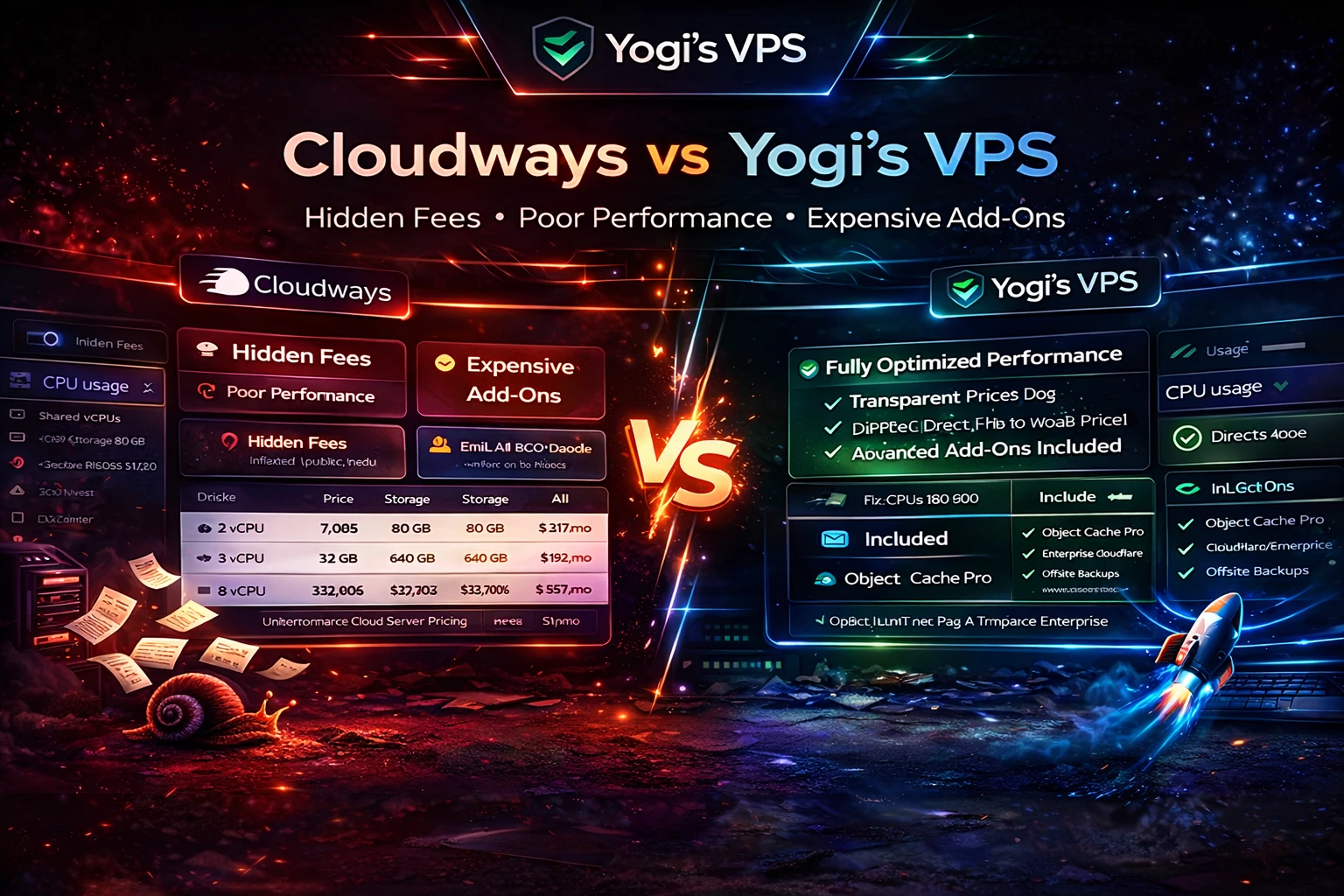
1. Cloudways Is a Middleman
Cloudways does not own infrastructure.
Instead, it sits between you and providers like DigitalOcean, Vultr, or AWS.
That means:
- You pay marked-up prices
- You don’t get full control of your server
- You rely on their custom control panel
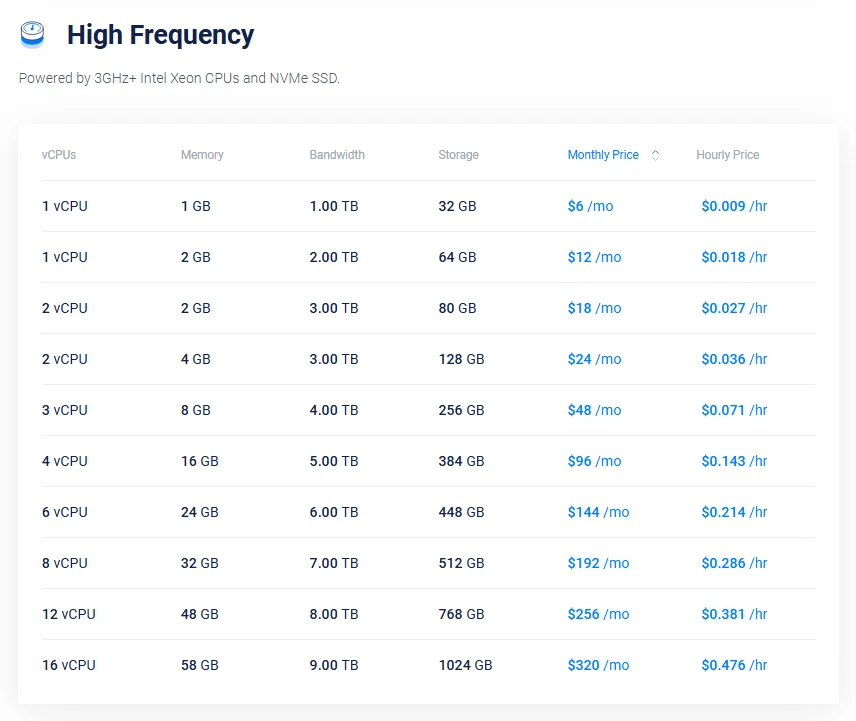
In many cases, Cloudways pricing can be significantly higher than going direct to the provider.
2. CPU Usage and Performance Issues
One of the biggest complaints with Cloudways is CPU spikes and performance inconsistency, especially for WooCommerce sites.
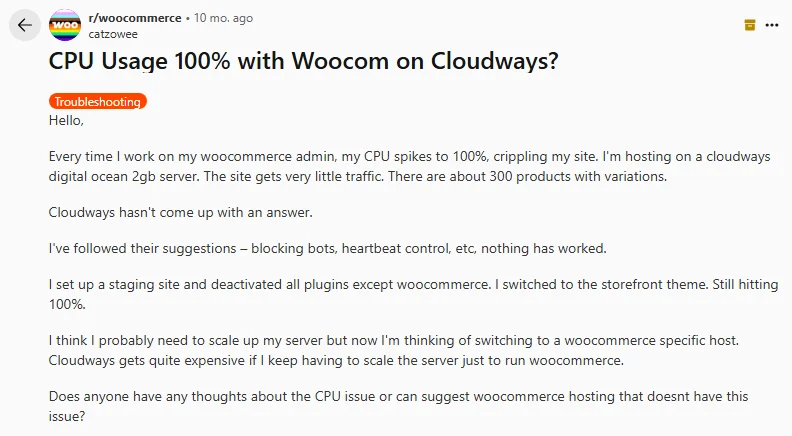
This happens because:
- Shared vCPUs compete for resources
- Background services add overhead
- Caching layers are inconsistent
- The stack is not fully optimized
On Yogi’s VPS, resources are properly allocated and optimized specifically for WordPress performance.
3. Outdated Stack vs Modern Performance
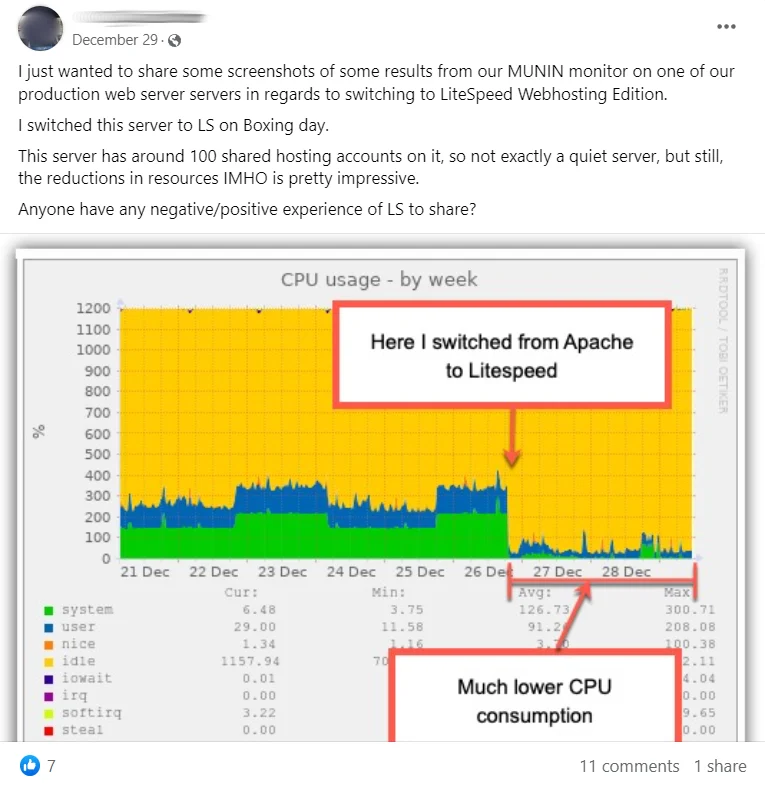
Cloudways still relies heavily on Apache + Varnish in many configurations.
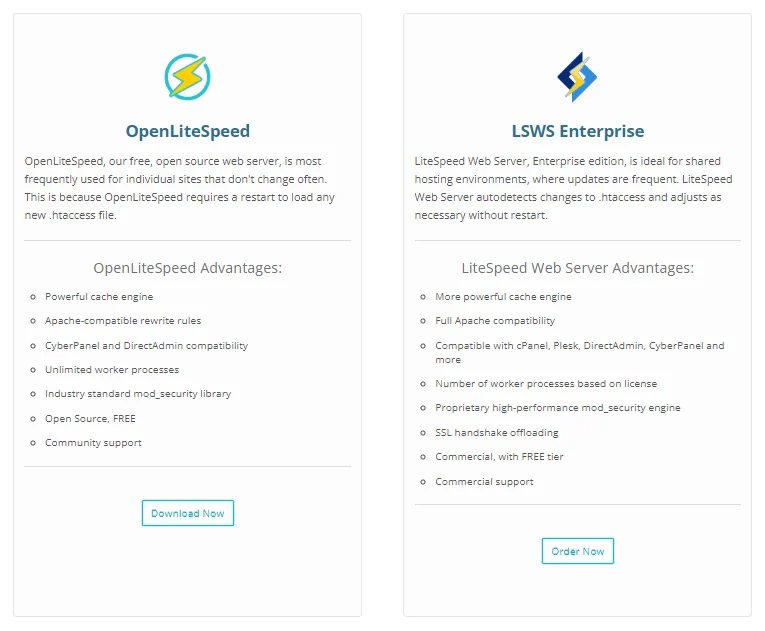
Modern WordPress hosting stacks prioritize:
- LiteSpeed or optimized NGINX
- Advanced caching at the server level
- Lower CPU usage per request
The difference shows up in real-world performance.
4. Cloudflare “Enterprise” Is Limited
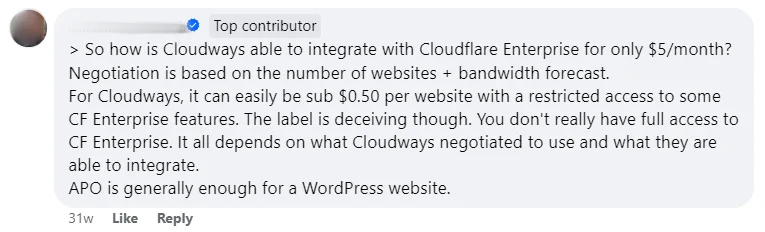
Cloudways offers a Cloudflare Enterprise add-on, but it is not the full experience.

Limitations include:
- Restricted feature access
- Limited control over caching
- Missing advanced routing and optimization tools
5. Add-Ons Everywhere
Cloudways charges extra for features that should be standard.
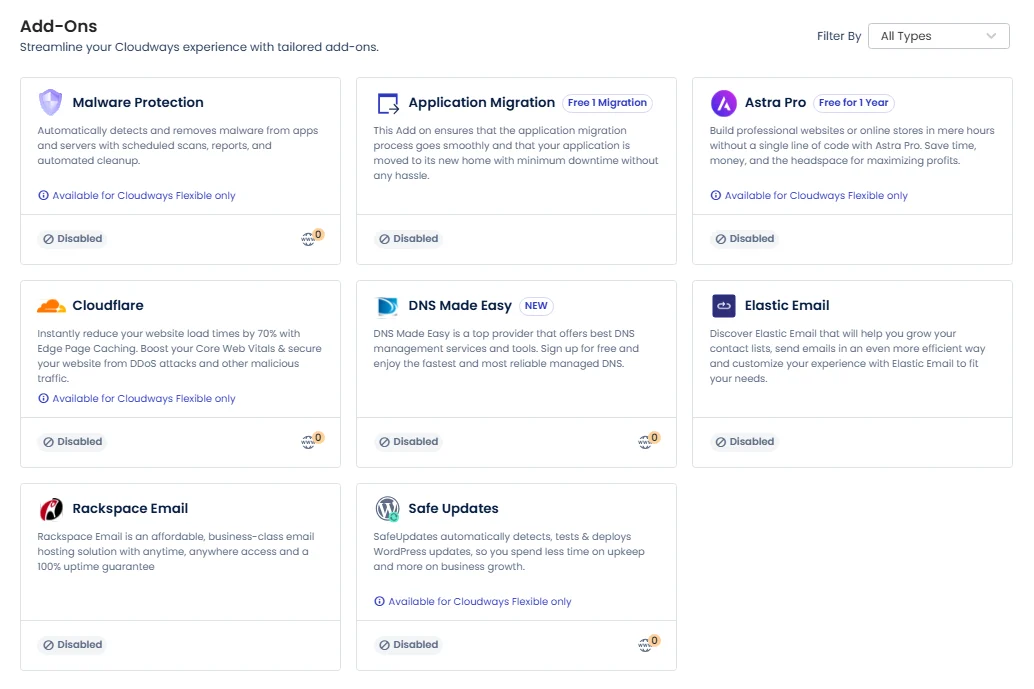
- Malware protection
- Email hosting
- Advanced caching
- Backup enhancements
These costs stack quickly and turn a “cheap” server into an expensive setup.
6. Misleading “Malware” Alerts
Some users report being flagged for issues that push them toward paid security add-ons.

This creates unnecessary upsells and confusion for site owners.
7. Support and Reliability Concerns
While Cloudways markets itself as managed hosting, support experiences are inconsistent.
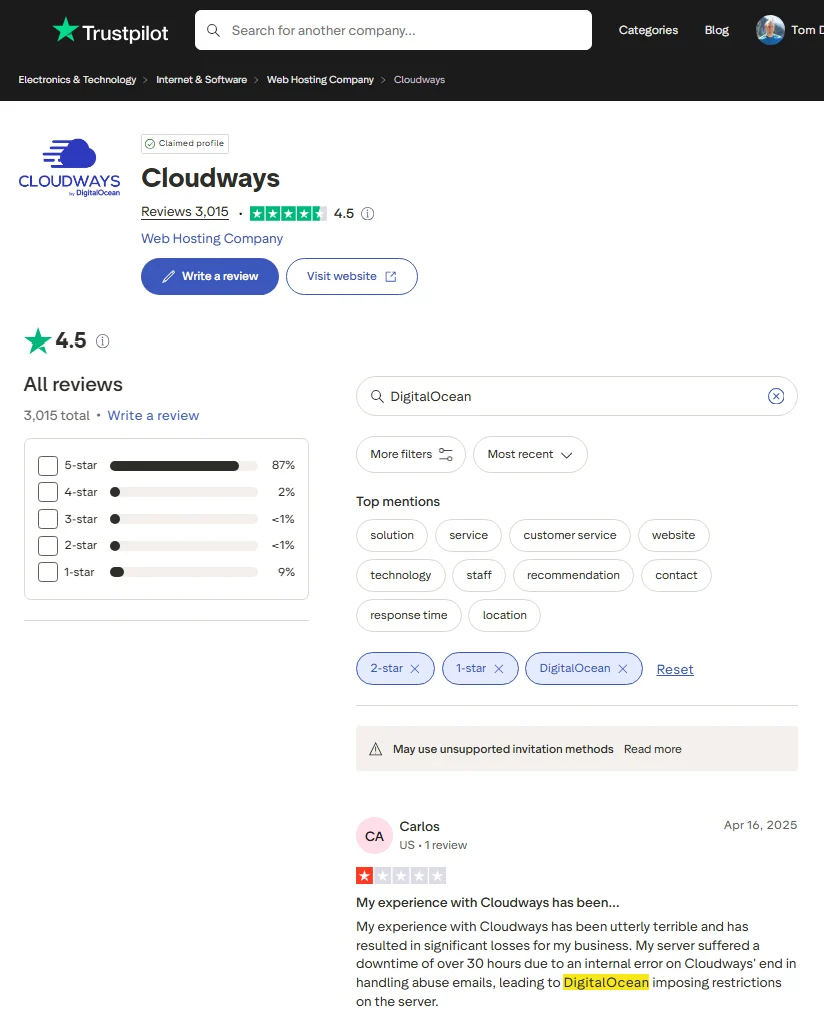
Users report:
- Slow response times
- Billing issues
- Limited technical resolution
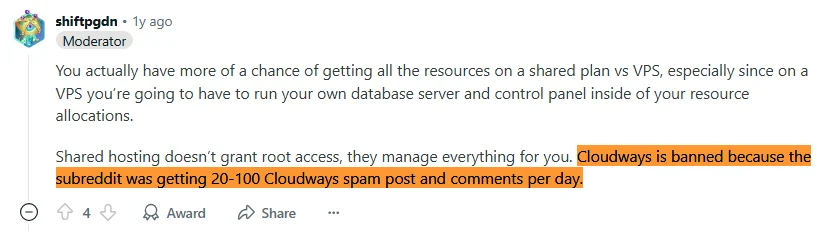
Some communities have even flagged aggressive promotion tactics.
8. The Real Cost of Cloudways
Once you factor everything in, Cloudways becomes:
- More expensive than expected
- More complex than advertised
- Less optimized than purpose-built hosting
Why Yogi’s VPS Is Different
Yogi’s VPS is built specifically for WordPress performance and growth.
- Dedicated resources optimized for speed
- Staging environments included
- Daily backups and restore points
- Plugin, theme, and core updates handled
- Server-level performance optimization
- Transparent pricing with no hidden add-ons
Final Verdict
Cloudways can work for developers who want control over cloud infrastructure.
But for businesses focused on performance, SEO, and reliability, it introduces unnecessary layers, costs, and limitations.
Yogi’s VPS removes the middleman and delivers a fully optimized WordPress environment built for speed and growth.