WordPress Hosting · Infrastructure · Yogi's VPS
WordPress Hosting: Managed High-Performance Platforms vs AWS Infrastructure
When businesses start taking WordPress seriously, one of the first infrastructure questions they face is:
Should we host our WordPress site on AWS, or use a high-performance managed WordPress platform?
Both options can technically run WordPress. The difference is how much engineering work is required to make WordPress perform well, remain secure, and scale reliably.
If performance matters for SEO, this decision becomes even more critical. Slow infrastructure can directly impact rankings, as explained in how slow hosting affects Google rankings.
The Reality of WordPress Hosting
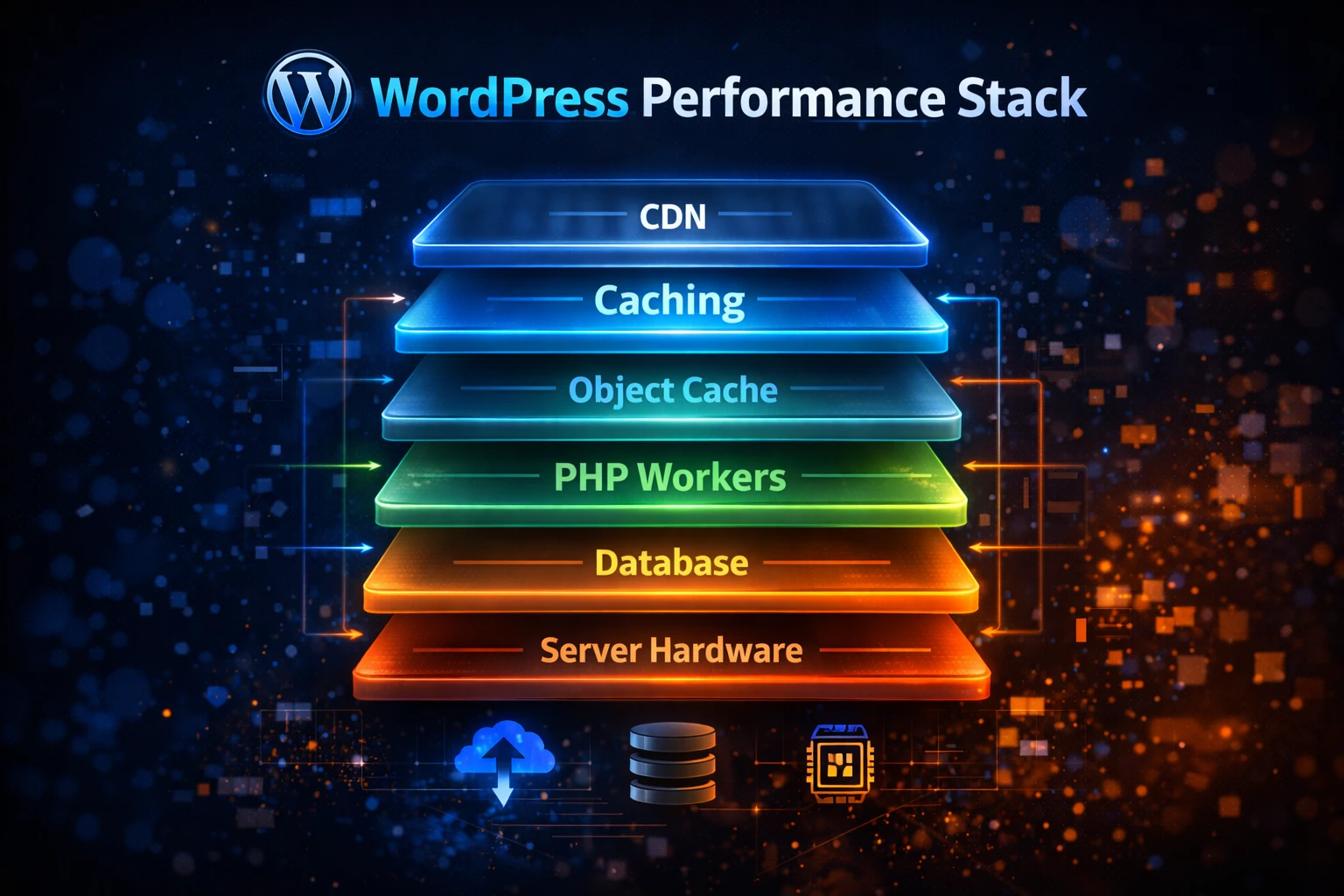
WordPress is not just a simple application. It is a full performance system made up of multiple layers that must work together correctly.
Core performance layers
- PHP runtime
- MySQL database
- Object caching
- Full page caching
- CDN delivery
- Image optimization
Operational layers
- Security systems
- Plugin compatibility
- Background processes
- Monitoring and backups
- Deployment workflows
If any of these layers are misconfigured, performance suffers. This is why a WordPress performance audit is often required to identify the real bottlenecks.
What AWS Actually Is
AWS is an infrastructure platform, not a WordPress hosting solution. It provides powerful tools, but those tools must be configured correctly.
AWS building blocks
- EC2 servers
- RDS databases
- Load balancers
- S3 storage
- CloudFront CDN
What AWS does NOT provide
- WordPress optimization
- Caching setup
- Performance tuning
- Plugin compatibility
- Security hardening
What a Managed WordPress Platform Provides
A managed platform is built specifically for WordPress performance. Instead of building infrastructure from scratch, everything is already optimized.
Technical advantages
- Optimized PHP and database performance
- Preconfigured caching
- Built-in security
Operational advantages
- Automatic backups
- Monitoring and alerts
- Stable update workflows
This reduces complexity and allows teams to focus on growth instead of infrastructure.
Infrastructure Comparison
| Category | AWS Self Managed | Managed WordPress |
|---|---|---|
| Caching | Must configure manually | Built in |
| Performance | Depends on setup | Optimized by default |
| Security | Manual responsibility | Managed |
| Backups | Must configure | Automated |
The Hidden Cost of AWS
AWS often appears cheaper at first. But once engineering time is included, it becomes more expensive for most WordPress sites.
AWS requires
- DevOps setup
- Performance tuning
- Ongoing maintenance
Managed hosting removes
- Infrastructure complexity
- Debugging overhead
- Manual optimization work
Performance Differences
Performance directly impacts SEO. Weak infrastructure leads to poor Core Web Vitals, slow load times, and lower rankings.
This is why cheap hosting environments often struggle to compete in search results.
If your metrics are low, you will need to improve your Core Web Vitals and fix the underlying hosting issues.
When AWS Makes Sense
- Large engineering teams
- Custom applications
- Enterprise infrastructure needs
In these cases, AWS flexibility is valuable. But for most WordPress websites, it introduces unnecessary complexity.
When Managed Hosting Is Better
- WordPress is the primary platform
- SEO performance matters
- Teams want simplicity
- Speed and stability are priorities
Many businesses see immediate gains after moving from shared hosting to VPS infrastructure.
Not sure which setup is right for your site?
We can analyze your current hosting and show you exactly where performance is being lost.
Final Thoughts
AWS is powerful, but power alone does not guarantee performance.
Most WordPress sites perform better on infrastructure that is specifically designed for WordPress.
Faster hosting leads to better SEO, stronger user experience, and more consistent growth.
Need help choosing the right hosting?
We will review your current setup and recommend a faster, more scalable solution.
- Hosting performance review
- SEO impact analysis
- Migration recommendations